|
|
'File spliter' freeware update - 1.0.2.1
|
A new update to 'File Splitter', up to version 1.0.2.1 is available.
Thanks to TheDutchJewel for suggesting File Spliter to show a warning when command line to reassemble file was larger than 2047 chars. This is a Windows limitation when using Dos batch files - the old way for File Spliter to reassemble splited files - that is not present when using the 'executable' mode to reassemble the files. Batch files will not accept a command line that is too long and this will happen when the file to split has a very long name and you were spliting it to a lot of small files. Thanks go to TheDutchJewel! |
|
|
|
All software updated!
|
All software and freeware was updated again. Windows Vista has brought a few changes - and, again, this means trouble for the programers 
So.. every executable has been changed a little in an effort to make them more Vista-compatible. As I don't have Windows Vista, just hope you will test and let me know if it looks better now.. Not that the freeware weren's working, they were working ok, but there were some details that needed correction. So here goes the list of upgrades made today:
• ToDo Reminder - version 1.1.3.0 • Porta'Menu - version 0.1.5.5 • Pic Viewer - version 1.0.1.0 • Watch timer - version 1.1.4.0 • Watch timer (with skins) - version 1.1.4.0 • Mini Calculator - version 1.0.4.2 • Image Downloader - version 1.0.0.0 • File Spliter - version 1.0.2.0 • File Renamer - version 1.2.0.2 • Favorite Tree - version 1.0.2.0 • Date Reminder- version 1.1.0.6 • Calendar - version 1.0.3.8 • My Agenda - ver 1.0.3.0 • Web Downloader - ver 1.0.9.0 • Wv Player - ver 1.1.2.0
• Softwar Submit - version 1.0.3.0 • StockControl - version 1.0.4.3
As always, you can download everything - free - from the freeware webpage, so go there and check everything, ok? |
|
|
|
'Image Downloader' freeware update - 0.1.0.2
|
And already we have an update to this brand new freeware...
A few bugs corrected - it's a new software, really, so it was bound to happen - nothing serious, it works ok, but was asking to save too many times, doubleclicking onthe list was not perfect, and a few other minor details.
Just go to the freeware webpage and download this new updated version. |
|
|
|
And a new freeware is available!
|
Yes, yet another freeware utility is made available to everyone!
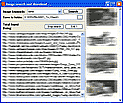
This time we are releasing an image downloader to ease the searching and downloading of images from the internet. Just input the keywords you want to find images to, and it will automatically search the internet for images, add it's link to the list, add a thumbnail of the image to the side bar and download the full image to a folder of your choice.
You can save all searches between uses, so saving all links and thumbnails to a file, for later browsing through the webpages containing each image.
Double-clicking on any thumbnail image from the side bar will open a separate browser window showing it directly from the owning webpage.
For menus, search the 'system menu' (the one on the top left side of the software's window) and use the listbox's 'context menu' (the one you see when you right-click over it), were you will also find the options to save and load saved searches, among other things.
And, guess what, yes... it's FREE - as is all of our software!
As always, this new software is available as of now from our freeware page. |
|
|
|
'Mini Calculator' freeware update - 1.0.4.0
|
'Mini Calculator' has been completely rewritten and updated to version 1.0.4.0.
This small freeware is a very unobtrusive calculator for your desktop. It has been completely rewritten from scratch, and has been improved with the addition of a lot of - long overdue - scientific functions to complement the usual, basic functions it already had. A few options have also been added for you to save your preferences between uses.
Check this new version as, as always, it is available for download for FREE from the freeware webpage. |
|
|
|
A new Pic Viewer (v.1.0.0.5) is now available!
|
There was once an old Pic Viewer software on the freeware list but, to be honest, it was not that useful..
SO.. It was completely rewritten from scratch, and now you have a brand new Pic Viewer Freeware.
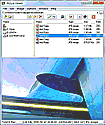
• It can load and show almost all graphic file types available - and a few extra ones that most people may never have heard about..
• Modifies photos and pictures any way you like, like rotate pic, flip and reverse, fit to window, grayscale, etc...
• As a configurable 'magnifier lens' to magnify - duuh - some details of the pictures at will.
• Works as file manager also, and can copy, move, rename and delete each and all files at user's will.
• Built in viewer and (configurable) slideshow viewer..
• Lots of built-in filters, like emboss, sharpen, stretch, modify colors, well... but just go and download it 'cause thre are too many improvements to list here, so it's easier (for me) if you just check it yourself - you'll see you won't get disapointed, anyway...  |
|
|
|
'File renamer' freeware update(s) ...
|
'File renamer' freeware has been updated quite a few times during all this time, some of which have been quite important changes..
It is now version 1.2.0.0, by the way...
So let's see if I can still remember all changes made to this freeware: 
- Help file has been updated to the new html Windows format (easy...)
- There is a new renaming option, long due, to 'Trim all from xx to yy from end' that does just that, deletes all chars between xx (from beginning of file) and yy (counting from end of file)
- Corrected a few bugs, and added a few icons to buttons...
- The 'Rename to old 8.3 dos name' option has been removed, as XP doesn't need it anymore and may not even show it.. So, it's gone.
- And the most important change was done to Renamer's DLL. The Explorer context menu stopped working correctly after winXP was introduced - sometimes it worked ok when sending files to Renamer, sometimes it didn't and just hang Renamer... The DLL was completely rewritten, and now works fine, all the time, and even got much smaller, which is an added bonus!
And there were a few more - less interesting but still important - smaller changes to 'File renamer' that I won't mention here.. Just go and download it from the freeware page as usual and check yourself what may be one of the best File Renamer's around - hey, not my words, just quoting users..  |
|
|
|
And I'm back !!
|
And I am back again! After a long year (almost), everything is kind of sorted out again and I am back around here, and hopefully you'll have to bare with me for a long time... 
Sorry to all the people that kept on sending suggestions and ideas, but now freeware development will certainly go on so... keep sending your comments, ok? Thank you all! |
|
|
|
A bit slow around here lately ...
|
[Slow... ] This has been a bit slow for a couple of months, no news lately and freeware development has stop for a while - but do not worry, as things will pick up again shortly! 
This was mostly due to a few personal changes, nothing else. All emails I have been receiving lately with questions and suggestions for all the software are kept on hold and will have a follow up shortly, ok?
Just wanted to let you all know that this site hasn't 'died' - just kept on hold for some time until I get a few things sorted out. Thank you all very much for all the people that cared to email back!
Wishing you all a good new year of 2008, and keep watching this space, ok?  |
|
|
<< Previous 1 2 3 4 5 6 7 8 9 10 11 12 13 14 15 Next >>
|